Michael Darlan
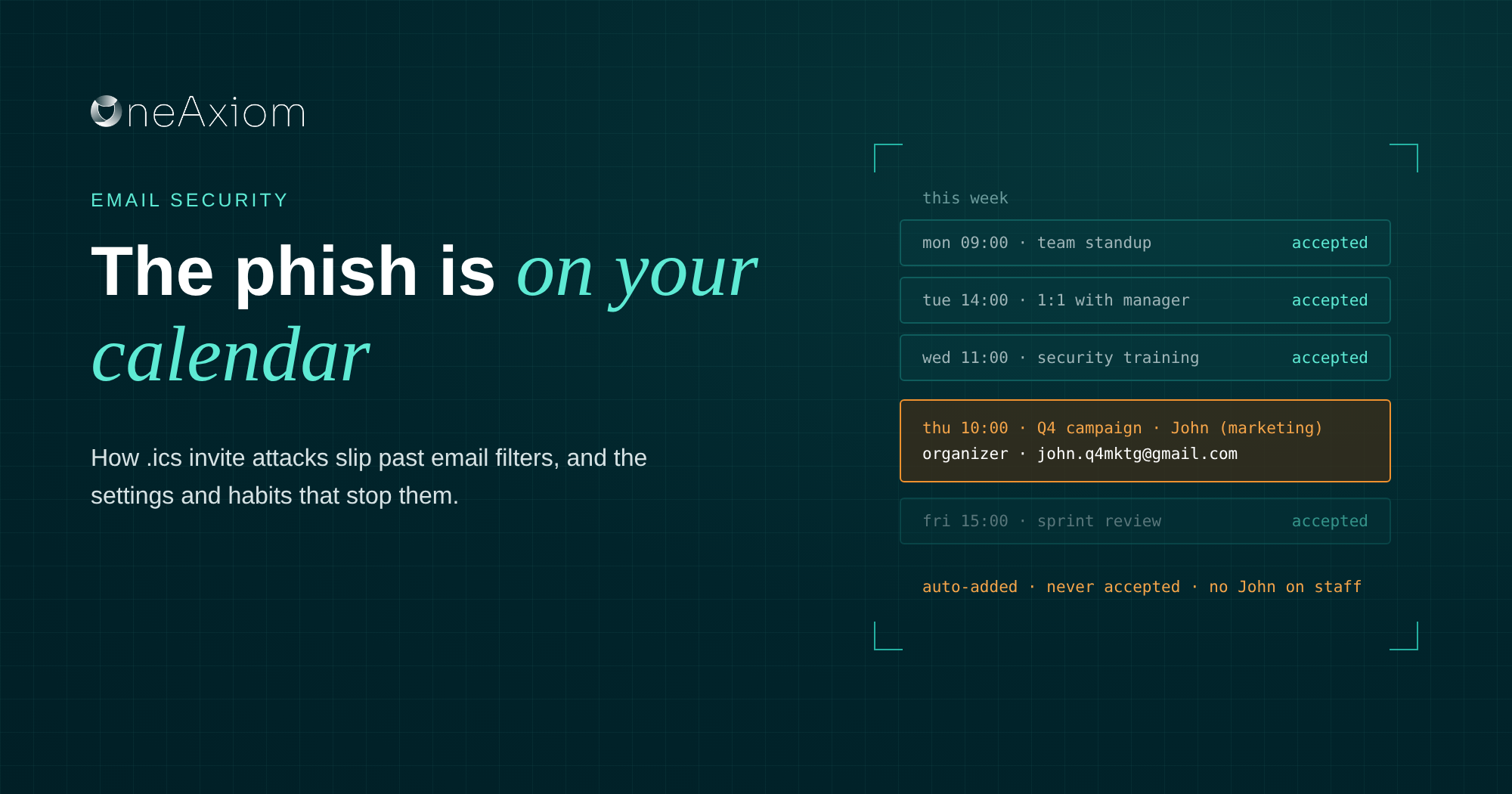

So John from marketing wants to book a meeting with you. Thirty minutes on Thursday, Q4 campaign, very normal, very boring. You hit accept and get on with your day.
The only problem is that there is no John from marketing.
“John” is somebody on the other side of the world, and when Thursday rolls around and you click that join link, your laptop starts chatting with a command-and-control server you’ve never heard of. All because you accepted a meeting with a guy in Belarus.
I brought this up at our October roundtable with IRONSCALES, and it got more questions than almost anything else we covered.
Calendar invite phishing isn’t new; the novelty is in how cheap and easy AI has made it, which means a lot more of these are flying out the door. The good news is that a couple of settings and one habit shut most of them down.
What is calendar invite phishing?
Calendar invite phishing hides the bad stuff inside a meeting invitation instead of the email body. The bad stuff can be a link, an attachment, a QR code, or a phone number for a “support desk” that is very eager to help you.
Most of these invites travel as .ics files, the iCalendar format that lets Outlook, Google Calendar and Apple Calendar swap events with each other. It’s a perfectly good standard. Attackers just found a less wholesome use for it.
How .ics attacks work
The whole thing is almost embarrassingly simple, which is exactly why it scales.
- The attacker builds an invite. A free Gmail or Google Calendar account does the job just fine. That means a legitimate sending domain and an attack that costs roughly nothing. The payload goes in the event description, the location field or an attached file.
- The invite shows up by email. Usually with an .ics attachment. In some Microsoft 365 cases there’s no visible invite at all, just meeting data that Outlook reads and acts on quietly.
- Your calendar adds it for you. Outlook and Google Calendar both drop incoming invites onto your calendar by default, before you accept anything. Very helpful. Thanks, calendar.
- You get phished twice. Once in the inbox, and again ten minutes before the “meeting,” when the reminder pops up and you’re in a hurry.
- The payload does the rest. A fake Microsoft 365 login page, a QR code that moves the attack to your phone, a phone number for a fake refund desk, or a link to install a remote access tool so “IT” can help you. And now bada bing, bada boom, somebody else is driving your machine.
Why calendar invites get past your filters
Most email security was built to stare hard at message bodies, links and sketchy attachments. A calendar file looks like boring metadata, so plenty of filters let it walk right in. A few gaps do most of the damage.
The sender passes every check
An invite from a free Google account comes from a real, authenticated domain. DMARC and SPF look at it and shrug. It’s the same reason account takeover is such a headache: the email is technically legit, it just isn’t from who you think.
“DocuSign.net is legitimate. But if I have a malicious actor sending those out, just because it’s coming from DocuSign.net doesn’t mean that it’s officially legitimate.”
Felix Velez, IRONSCALES
The event outlives the email
Your filter quarantines the message, your analyst deletes it, everyone high-fives. Meanwhile, the event is still sitting on the calendar, waiting. Microsoft fixed part of this in late 2025, when Defender’s Hard Delete started removing the calendar entry tied to a meeting invite email.
Events created from .ics files still stick around, and the attacker can put the event right back by resending the invite.
Sometimes there’s no link at all. In March 2026, IRONSCALES caught a fake $483.22 Bitdefender charge delivered as a Google Calendar invite with zero malicious URLs. The lure was a phone number, and the organizer’s domain had been registered the day before. A filter hunting for bad links goes home empty-handed.
We trust our calendars
We use them for deadlines, training reminders, and compliance tasks, so an event that isn’t really a meeting still looks normal. And an invite that seems to come from a coworker gets about half the suspicion of a random email.
What these attacks look like in 2026
Two campaigns from this year show how much range attackers are getting out of a humble calendar file.
The fake subscription charge
The Bitdefender invite IRONSCALES caught billed the victim $483.22 for a product called “AuraShield Pro” and helpfully included a number to call for a refund.
Nobody gets a refund. They get a very patient “support agent” who walks them through handing over their machine.
The token thief
A campaign dubbed CalPhishing, built on the EvilTokens phishing kit, put instructions in Outlook meeting invites that led victims through device code phishing. That technique steals the session token instead of the password, so MFA has already been satisfied by the time anyone notices.
That second one is the trend to watch. Attackers are going after sessions and tokens, which means “we have MFA” is no longer the end of the conversation.
How to stop calendar invite phishing
The biggest win is boring: stop letting invites from strangers land on calendars automatically. Everything else builds on that.
| Control | Google Workspace | Microsoft 365 | Owner |
| Keep strangers’ invites off calendars | Admin console default: Only if the sender is known | No admin switch for user mailboxes; users turn off auto-processing in classic Outlook | IT admin |
| Inspect .ics files | Email security reads event description, location and organizer | Same | Security team |
| Remove the event with the email | Delete the event in the user’s calendar | Defender Hard Delete, then check for .ics-created events | SOC |
| Watch post-click activity | Sign-in alerts, new forwarding rules | Sign-in alerts, device code logins, new inbox rules | SOC |
| Phishing-resistant MFA | FIDO2 security keys for high-risk accounts | FIDO2 security keys for high-risk accounts | IT admin |
| Verify out of band | Text or call the organizer | Text or call the organizer | Everyone |
Google Workspace
In the Google Admin console, set the default for “Add invitations to my calendar” to Only if the sender is known.
Google added this option in 2022. People in your domain, in a user’s contacts, or who’ve emailed them before still go straight onto the calendar. Everyone else lands in email only, until the user accepts.
Brown University flipped this default across campus and now warns users that switching it back seriously raises their phishing risk. Universities don’t love changing defaults, so that tells you something.
Microsoft 365
Here it gets less fun. Microsoft documents Set-CalendarProcessing as working only on resource mailboxes, like conference rooms, so there’s no tidy admin switch for regular users.
In classic Outlook, users can turn off automatic processing under Options, Calendar, Automatic accept or decline. For everyone else, your protection comes from detection and cleanup, which means the next three points matter even more.
Treat .ics files as content
Your email security should open calendar attachments and read the description, location, and organizer fields like it reads a message body. Rules worth having: invites from recently registered domains, invites with QR codes or phone numbers, and invites carrying embedded files.
Delete the event, not only the email
Make your phishing playbook remove the calendar entry too. In Microsoft Defender, use Hard Delete, then check calendars for events created from .ics attachments, since those survive the cleanup.
Watch the identity layer
If someone interacted with a bad invite, look for what happens next: sign-ins from countries nobody’s visiting, device code logins nobody asked for, and brand new inbox forwarding rules.
Those post-click signals show up before the real damage does. And move your high-risk accounts to phishing-resistant MFA like FIDO2 security keys.
What to teach your team
The settings handle most of it, but our people handle the rest. Most awareness training skips the calendar entirely, so give it five minutes in your next session.
- An invite is not proof of a meeting. Anyone with your email address can put an event on your calendar. If you don’t recognize the organizer or the topic, treat it like any other weird email.
- Check the address, not the name. “John from marketing” is just text anyone can type. The actual address behind it is what counts.
- Don’t trust. Just verify. And verify somewhere else. If an attacker owns John’s mailbox and you email John to ask whether he sent it, attacker John is going to say “absolutely, 100% that was me, buddy.” Text him, call him, or walk over to his desk.
- Never call a number from an invite. Look up the vendor’s real support line yourself.
- Report it, then delete the event. Use your usual phishing button, then remove the event from your calendar. Skip “decline,” because responding tells the attacker your address is alive and well.
Frequently asked questions
Can a calendar invite contain a virus? The .ics file itself is plain text and doesn’t run code. The danger is what it points to: links, attached documents, QR codes and phone numbers that lead to credential theft or malware.
Does accepting a phishing invite give attackers access to my calendar? No. An invite doesn’t grant access to your calendar or steal credentials by itself. Responding does confirm that your address is active, which invites more attacks.
Why is the event still on my calendar after I deleted the email? Most calendar apps create the event when the message arrives, as a separate item. Deleting the email doesn’t always remove it, so delete the event too.
How do I stop spam invites in Google Calendar? Open Calendar settings, find “Add invitations to my calendar” and choose “Only if the sender is known.” Workspace admins can set this as the default for the whole organization.
How do I stop spam invites in Outlook? In classic Outlook, go to Options, Calendar, Automatic accept or decline, and uncheck the option to process meeting requests automatically. Microsoft’s admin cmdlet for calendar processing only covers resource mailboxes, so for regular users, your defense is filtering, cleanup, and training.
See it in the full roundtable
Calendar invites are one of several old tricks that AI has made faster and cheaper to run.
In our October roundtable, Felix Velez from IRONSCALES, Paulo Veloso and I also got into how attackers mine LinkedIn to target new hires (thank you, LinkedIn), why authentication can’t catch account takeover, and what our SOC does in the first hour after someone clicks.
Watch the recording and grab the slides.
Sources
Written by Michael Darlan, Cybersecurity Specialist at OneAxiom
Edited by Julia Araujo, Marketing Manager at OneAxiom