Michael Darlan
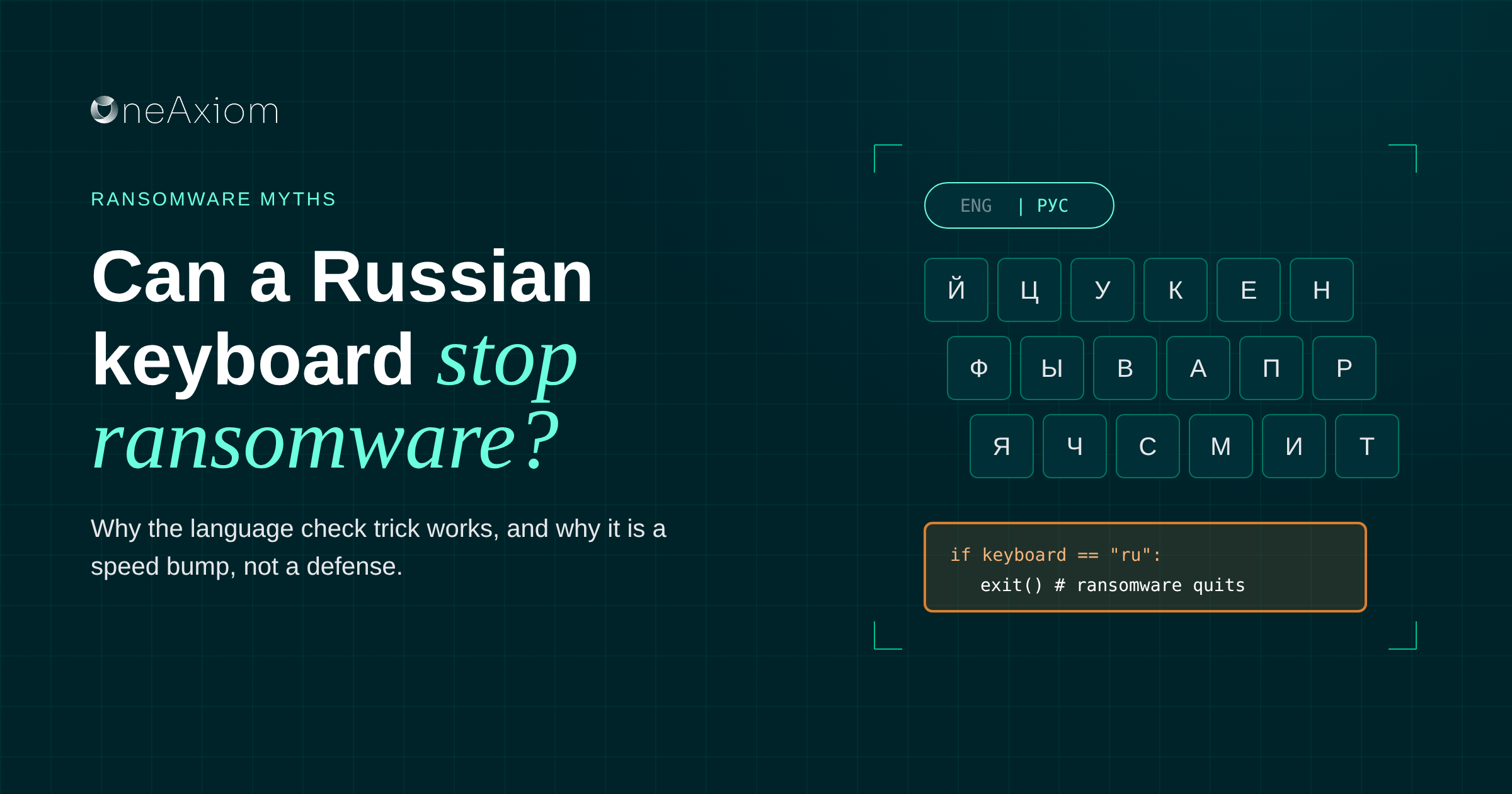

Every few months somebody forwards me the same tip: “Install a Russian keyboard and ransomware won’t touch you.” Usually with three exclamation points and the word “hack” in the subject line.
Here’s the annoying part. It’s not completely wrong.
The short answer: Some ransomware checks whether a computer has a Russian or other Cyrillic keyboard layout installed, and quits if it finds one, so the gang doesn’t hit targets at home.
Adding that layout to your Windows machines can stop those specific strains. It does nothing against ransomware that skips the check, and attackers can remove the check whenever they like. Treat it as a free speed bump, not a defense.
Why some ransomware avoids Russian computers
A lot of the biggest ransomware operations have ties to Russia or nearby countries. The U.S. Treasury’s FinCEN found that about 75% of ransomware incidents reported in the second half of 2021 involved Russia-related variants. Worth keeping in mind that sample is U.S. reporting, so other regions may look different.
Those groups follow an unwritten rule: don’t attack at home. Hitting local companies brings local police, and that’s bad for business. So some strains run a quick check before encrypting anything. If the machine looks like it belongs to someone in Russia or a former Soviet state, the malware packs up and leaves.
The most common way to check is the keyboard language. In 2021, Brian Krebs pointed out that strains like DarkSide, the group behind the Colonial Pipeline attack, skipped systems with certain languages installed. His tongue-in-cheek suggestion: install one yourself.
Anyone can add a Cyrillic layout to Windows in about a minute, and the malware can’t tell you didn’t grow up in Moscow.
Where the keyboard check fits in an attack
The check happens late. By the time ransomware asks about your keyboard, the attacker already got in, already moved around, and often already copied your data.
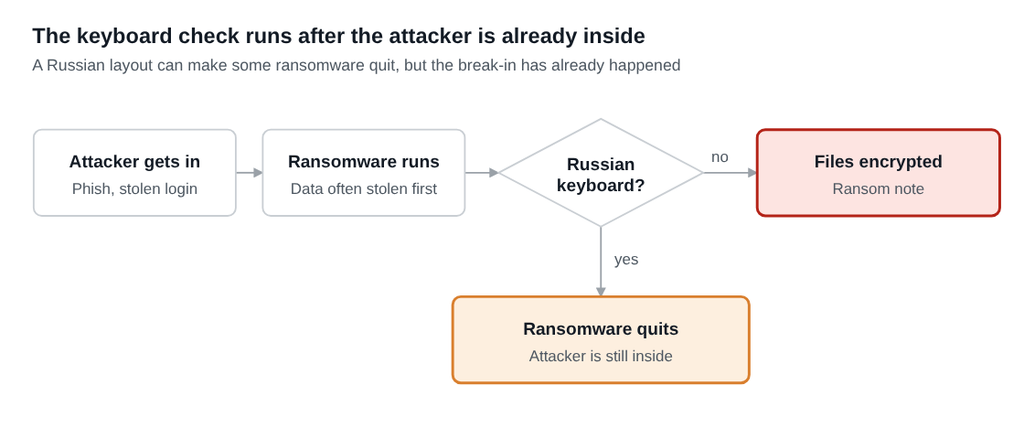
A “yes” saves your files from that one strain. It doesn’t kick anyone out of your network.
How to add a Russian keyboard layout in Windows
You only need the keyboard layout, not the full Russian language experience. Nobody’s menus change, and your users keep typing in English.
1. Open Settings > Time & language > Language & region.
2. Add a language, choose Russian, and uncheck everything except the basic keyboard. Skip the display language pack.
3. Keep your own language first so it stays the default input.
4. Roll it out at scale with a PowerShell script through your RMM or Intune. For example:
$list = Get-WinUserLanguageList$list.Add('ru-RU')
Set-WinUserLanguageList $list -Force
This runs per user, so deploy it as a logon script or a user-context task.
5. Hide the language switcher if it bothers people. Someone will hit Windows key + Space by accident and type an email in Cyrillic. It happens once. They learn.
Why it’s a speed bump, not a defense
I’m not against it. It’s free, it takes a minute, and it might save you from one strain on a bad day. But please don’t put it in a board deck as your ransomware strategy.
Only some strains check
Plenty of ransomware never looks at the keyboard. Groups outside Russia have no reason to, and some Russian-speaking groups simply don’t bother.
The check is trivial to change
The authors can switch to the system locale, the time zone, a registry key or the public IP’s country, or just delete the check. One line of code, and your trick is gone.
By the time it matters, they’re already in
The keyboard check runs after the attacker has code running on your machine. If the ransomware bails, the attacker still has access, your data may already be stolen, and they can run a different payload tomorrow.
It doesn’t help with data theft
Most ransomware groups steal data before they encrypt anything. A keyboard layout doesn’t stop someone copying your file shares.
What actually holds up is the boring stuff: layered defenses, an EDR someone is actually watching, and backups you’ve tested and can restore from a copy the attacker can’t reach.
| Control | Stops the ransomware? | Stops the attacker? | Cost |
|---|---|---|---|
| Russian keyboard layout | Only strains that check for it | No | Free |
| Offline, tested backups | No, but you can recover | No | Backup storage |
| EDR with 24/7 monitoring | Usually, before encryption | Often, during the break-in | EDR and MDR |
| MFA and least privilege | Makes spreading harder | Makes getting in harder | Low |
Frequently asked questions
Does a Russian keyboard really stop ransomware?
Sometimes. Certain ransomware strains check for a Russian or other Cyrillic keyboard layout and stop if they find one. Strains without that check run normally.
Why does ransomware check the keyboard language?
Many ransomware groups operating from Russia and nearby countries avoid attacking local targets to stay out of trouble with local authorities. The keyboard layout is a quick way to guess where a computer is.
Will adding a Russian keyboard change my Windows language?
No. Adding only the keyboard layout leaves your display language, menus and default input as they are.
Is the Russian keyboard trick enough to protect my business?
No. Attackers can remove or change the check at any time, and it runs only after they’ve already gotten in. Rely on EDR, monitoring and offline backups.
Which ransomware checks for a Russian keyboard?
Researchers reported the check in several Russian-speaking groups’ malware, including DarkSide. Behavior changes between versions, so don’t count on any specific strain still doing it.
Install the keyboard. Then do the real work.
The Russian keyboard trick is one of those rare security tips that’s free, harmless and occasionally useful. Do it. Just don’t let it become the reason you skip the backup test this quarter.
If you’d like someone watching for the attacker before their ransomware gets around to checking your keyboard, book a call with our team. We’ll walk through your setup and show you where the gaps are, whether or not you work with us.
By Michael Darlan, Cybersecurity Specialist at OneAxiom