Michael Darlan

Here’s a bet I’d take every single time: if an attacker gets one shot at your company this quarter, they’re aiming it at whoever started most recently.
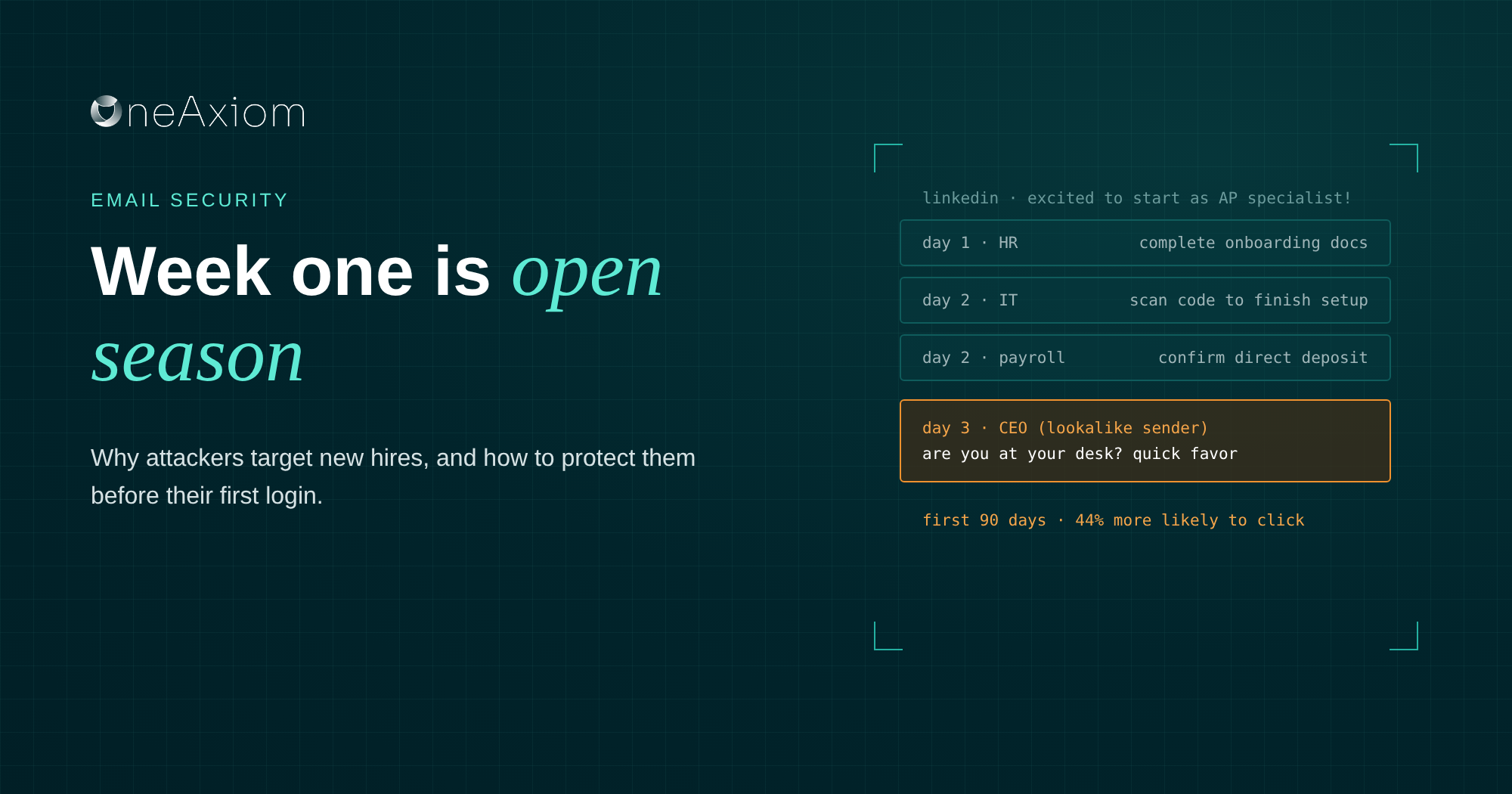
A 2025 study across 237 companies found new hires were 44% more likely to fall for phishing in their first 90 days, and 45% more likely to click on an email pretending to be from the CEO.
And finding your new hires used to take some actual effort. Now a script reads LinkedIn and does it for them.
At our October roundtable with IRONSCALES, Felix Velez and I both called out new hires as one of the easiest targets in any company right now. Here’s why it works, and how to take the target off their backs.
Why new hires are the perfect target
Put yourself in a new employee’s shoes for a second.
You don’t know anyone’s email address yet. You don’t know what normal looks like. You have 30 tabs open for HR forms, benefits portals, and system logins. And you are desperate not to be the person who asked a dumb question in week one.
Attackers love every part of that.
They don’t know who’s real. A message from “the CEO” or “HR” can’t be compared against anything, because the new hire has never gotten one before.
They’re expecting weird emails. Onboarding means a flood of legit requests to log in here, sign this, verify that. One more fits right in.
They want to impress. Saying no to the boss, or even double-checking the boss, feels risky when you’ve been there three days.
They often haven’t been trained yet. In one case in British Columbia, a new staff member bought gift cards for a fake CEO before she’d taken the company’s anti-phishing training. She found out it was a scam when she handed the cards to the real CEO. Awkward.
Put those four together, and you get someone who is primed to say yes to exactly the wrong email.
How the attack unfolds
None of this takes a genius. It takes a LinkedIn search and a bit of automation.
“The AI logic and workflows for these malicious attackers to scrub LinkedIn to see all of the new hires that started at this new organization. They get excited, they promote their activity.”
Felix Velez, IRONSCALES
The part that should worry you: Felix pointed out that the whole workflow can run with no human involved at all. Find the post, build the profile, write the email, send it. The attacker just checks the gift card balance at the end.
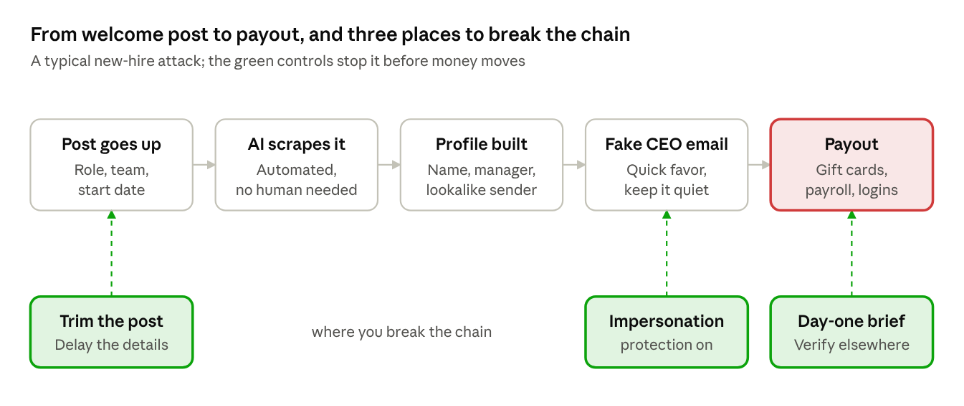
The good news is that the chain has weak links of its own. Break any one of them and the payout never happens.
The lures new hires get
Felix described what lands in a new hire’s inbox once their LinkedIn post goes live, and it’s a greatest hits album.
Here’s what that bombardment usually looks like:
| Lure | What it says | What the attacker wants |
| The CEO favor | “Are you at your desk? I need a quick favor, keep it between us.” | Gift cards, usually bought with the new hire’s own card |
| The HR form | “Please complete your onboarding documents in the portal below.” | Login credentials through a fake portal |
| The payroll update | “Confirm your direct deposit details before the first payroll run.” | Your paycheck, rerouted to their account |
| The IT setup | “Your account needs to be verified. Scan this code to finish setup.” | MFA codes or a session token |
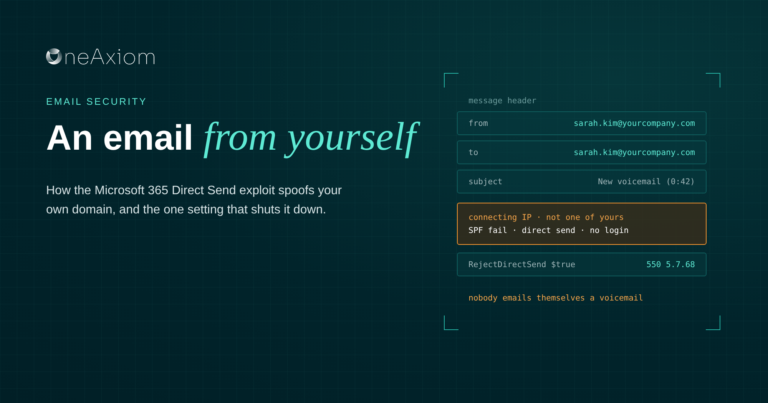
| The email from yourself | A “voicemail” or “document” sent from your own address via Direct Send | Credentials, via a QR code in a PDF |
Notice that none of these need a fancy exploit. They need a name, a job title, and a start date, all of which were posted publicly with a party emoji.
And it’s not only the new hire’s own post. My personal favorite source of free intel for attackers is the company’s own announcements.
How to protect new hires
You can’t stop people from being excited about a new job. You can stop that excitement from turning into a gift card receipt.
Train before the first login, not after.
Security awareness shouldn’t be a module someone gets to in week three. Ten minutes on day one, before they open their inbox, covers the scams they’re about to see.
Tell them who will never email them.
Put it in writing: the CEO will never ask you for gift cards. HR will never ask for your password. Payroll changes only happen in the payroll system, never by email.
Lock down payroll changes.
Require a second confirmation, through a different channel, for any direct deposit change. Especially in someone’s first 90 days.
Turn on impersonation protection.
Flag lookalike names and addresses of executives, mark external emails clearly, and block Direct Send if you don’t need it. An AI layer like IRONSCALES that reads intent catches “quick favor, keep this between us” for what it is.
Watch new accounts closely.
New sign-ins, new devices, and new inbox rules all look normal during onboarding, which is exactly why attackers hide there. Your SOC should know who started this week.
Rethink the welcome post.
Celebrate new hires, absolutely. Just skip the exact role, team, and start date in public, and ask new hires to wait a couple of weeks before announcing on their own.
| When | Action | Owner |
| Before day one | Add the new hire to impersonation protection and SOC watch lists | IT and SOC |
| Day one, before email | Ten-minute briefing on onboarding scams | Manager or security |
| Day one | Share the “we will never ask you to” list | HR |
| First 90 days | Second-channel confirmation for any payroll or bank change | Payroll |
| First 90 days | Monitor new sign-ins, devices and inbox rules | SOC |
| Ongoing | Delay or trim public new-hire announcements | Marketing and HR |
What to tell new hires on day one
Keep it short. A new hire is drinking from a fire hose already. Here’s the version I’d want someone to hand me on my first morning:
- You will get fake emails this week. Probably from “the CEO.” That’s not paranoia, that’s a forecast.
- Nobody here will ask you for gift cards. Ever. Not the CEO, not your manager, not someone “in a meeting” who needs them urgently.
- Asking is always okay. Checking whether a request is real will never get you in trouble. Falling for a fake one is a much worse first-week story.
- Verify somewhere else. Got a weird request? Call or message the person using contact info from the company directory, not from the email.
- Log in directly. If an email says to update something in a portal, open the portal yourself instead of clicking.
- Report it, don’t delete it. One click on the report button helps us catch it for everyone else.
Frequently asked questions
Why do attackers target new employees? New hires don’t yet know who’s real, expect lots of unfamiliar requests, want to make a good impression, and often haven’t finished security training. Their start dates are also easy to find on LinkedIn.
What is the new employee gift card scam? An attacker poses as the CEO or a manager and asks a new hire to buy gift cards for a “surprise” or “client,” promising reimbursement. Once the new hire sends the card numbers, the money is gone.
How do attackers find out who just started? Mostly from LinkedIn: new-hire posts, “welcome to the team” announcements, and updated job titles. AI tools now scrape these automatically.
How can companies protect new hires from phishing? Brief them on common scams before their first login, tell them what the company will never ask for, require a second confirmation for payroll changes, turn on executive impersonation protection, and monitor new accounts closely.
Should companies stop announcing new hires on LinkedIn? Not necessarily. Delay the announcement a few weeks and leave out details like the exact role, team, and start date.
Welcome to the team. Watch your inbox.
New hires aren’t careless. They’re new, and attackers have figured out that “new” is a vulnerability you can find with a LinkedIn search. A ten-minute briefing and a few settings take most of that advantage away.
Felix, Paulo Veloso, and I got into new-hire targeting, LinkedIn scraping, Direct Send, and a lot more in our October roundtable with IRONSCALES. Watch the recording and grab the slides.
Sources
Written by Michael Darlan, Cybersecurity Specialist at OneAxiom
Edited by Julia Araujo, Marketing Manager at OneAxiom